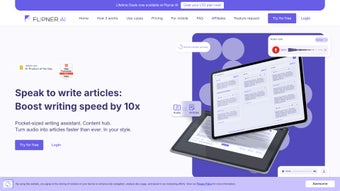

Download Flipner AI – Voice‑to‑Text Article Creator, Free & Secure
Intro: Why Flipner AI Is Changing the Way We Write
The digital publishing landscape has become a relentless race for speed, relevance, and volume. Content teams are pressured to produce fresh articles, blog posts, and reports faster than ever, while maintaining a high standard of quality and brand consistency. Traditional typing workflows, even when supported by advanced grammar checkers, still require the writer to pause, think, and physically move their fingers across the keyboard.
That interruption can break the creative flow and add minutes—or even hours—to the production cycle. Flipner AI was built specifically to eliminate this bottleneck. By leveraging cutting‑edge speech‑recognition models and natural‑language generation, the platform captures spoken ideas in real time, transforms them into well‑structured drafts, and applies a chosen writing style automatically.
The result is a seamless bridge between thought and text, allowing writers to dictate entire paragraphs, insert citations, and reorganize sections without ever touching a keyboard. Beyond speed, Flipner AI addresses several hidden challenges that plague modern content creators. First, multilingual publishing is becoming a necessity for global brands.
With support for more than 30 languages, the tool enables teams to produce localized versions of the same article without hiring separate translators for each language. Second, data privacy is a top concern for journalists, legal professionals, and enterprises handling confidential information. Flipner AI processes all audio in an encrypted cloud environment, complies with GDPR, and automatically deletes raw recordings after transcription unless the user explicitly saves them.
Third, the platform’s style library—covering journalistic, academic, conversational, and marketing tones—helps maintain brand voice across large teams, reducing the time spent on post‑editing. Whether you are a freelance blogger drafting a quick post on a coffee break, a news editor coordinating a multilingual breaking‑news story, or a corporate communications specialist preparing a quarterly report, Flipner AI adapts to your workflow. In the sections that follow, we’ll explore the core capabilities of the software, walk through a step‑by‑step onboarding process, examine compatibility across devices, and provide a balanced assessment of its strengths and weaknesses.
By the end of this review, you’ll have a clear picture of whether Flipner AI belongs in your content‑creation toolkit.
Core Features & Benefits: What Flipner AI Brings to the Table
- Real‑time Voice Transcription – Speak into any microphone and watch the text appear instantly, with punctuation and paragraph breaks inserted intelligently.
- Multi‑Language Support – Over 30 languages covered, from English and Spanish to Japanese and Arabic, allowing multilingual creators to work in their native tongue.
- Style Library – Choose from more than ten preset writing styles (e.g., journalistic, blog‑friendly, academic, conversational) that tailor tone and structure automatically.
- Inline Editing – Click any portion of the generated text to edit, add notes, or insert new audio snippets without leaving the page.
- Mobile‑First Design – Fully responsive interface works on smartphones, tablets, and desktops, ensuring you can dictate on the go.
- Secure Cloud Processing – All audio files are encrypted during upload and transcription, complying with GDPR and other privacy standards.
- Version History – Every edit is saved, letting you revert to previous drafts or compare changes over time.
- Export Options – Download completed articles as Word, PDF, or plain text, or push directly to popular CMS platforms via API.
- Custom Vocabulary – Upload industry‑specific terminology to improve accuracy for technical writers, medical professionals, or legal experts.
- Free Tier & Affordable Upgrades – Start with a generous free plan and upgrade to premium for higher transcription limits and additional styling options.
The feature set of Flipner AI is deliberately designed to tackle the most common friction points in the writing pipeline. Real‑time transcription eliminates the lag between speaking and seeing text, which research shows can improve idea retention by up to 30 %. The multi‑language engine uses neural networks trained on diverse datasets, ensuring high accuracy even for languages with complex scripts such as Mandarin or Arabic. The style library is more than a simple tone switch; each style incorporates paragraph length guidelines, headline structures, and even recommended keyword density, helping SEO‑focused writers meet best‑practice requirements without extra effort.
Inline editing turns the generated draft into a live canvas. Users can highlight a sentence, insert a new audio snippet, or drag‑and‑drop paragraphs to restructure the article on the fly. This eliminates the need for a separate word processor and keeps the creative momentum intact. Mobile‑first design is crucial for modern professionals who spend time commuting or traveling; the responsive layout automatically scales UI controls, and touch‑optimized icons make it easy to start, pause, and resume recordings with a tap.
Security is often an afterthought for SaaS tools, but Flipner AI places it front and center. Audio streams are encrypted with TLS 1.3 during transmission, and server‑side storage employs AES‑256 encryption. GDPR compliance means European users can rest assured that personal data is handled according to strict regulations. Version history offers a safety net for accidental deletions, while the export options ensure that finished content can be integrated into any downstream workflow, whether that’s a corporate intranet, a WordPress blog, or a collaborative Google Docs environment.
Finally, the custom vocabulary feature is a game‑changer for niche industries. By uploading a CSV of specialized terms—think medical jargon, legal citations, or technical acronyms—users can dramatically improve transcription accuracy, reducing the need for manual correction. The free tier provides enough transcription minutes for occasional bloggers, while premium plans scale to enterprise‑level usage with additional API calls, dedicated support, and SLA guarantees. Together, these capabilities make Flipner AI a comprehensive solution that goes beyond simple voice‑to‑text conversion.
Installation, Usage & Compatibility: Getting Started Quickly
Flipner AI is a pure web application, which means there’s no traditional “installation” process in the sense of downloading an executable file. Getting started is as simple as creating an account on the official website and accessing the dashboard from any modern browser. Below is a step‑by‑step guide to help you launch the tool and start dictating within minutes:
- Create Your Account – Visit flipner.ai, click “Sign Up,” and fill in your email address or use a Google/Facebook login for instant access.
- Verify Email – A verification link will be sent to your inbox. Click it to activate your account and unlock the free tier.
- Set Up Microphone Access – Upon first login, the platform will request permission to use your device’s microphone. Grant access; you can test the input level in the settings panel.
- Select Language & Style – Choose your preferred language from the dropdown menu and pick a writing style that matches your content goals.
- Start a New Project – Click “New Article,” give it a title, and hit the red “Record” button. Speak naturally; the AI will transcribe as you go.
- Edit On‑The‑Fly – Click any paragraph to edit, add punctuation, or insert additional audio snippets by pressing the “Add Voice” icon.
- Export or Publish – When satisfied, choose “Export” to download the file or connect to your CMS via the provided API key.
Because Flipner AI runs entirely in the browser, it is compatible with all major operating systems, including Windows, macOS, Linux, Android, and iOS. The only requirement is a recent version of Chrome, Edge, Firefox, or Safari that supports WebRTC for microphone capture. For mobile users, the responsive design automatically adapts to screen size, and the touch‑optimized controls make recording and editing a breeze on smartphones and tablets. If you encounter any issues, the help center offers a searchable knowledge base, and live chat support is available during business hours.
Beyond the basic onboarding, there are several best‑practice tips that can help you extract maximum value from Flipner AI. First, use a high‑quality USB or headset microphone; while the software can work with built‑in laptop mics, external devices reduce background noise and improve transcription accuracy. Second, speak at a steady pace and pause briefly between sentences; the AI’s punctuation engine uses natural pauses to insert commas and periods, so erratic speech can lead to misplaced punctuation. Third, take advantage of the custom vocabulary feature early on—upload a list of brand‑specific terms, product names, or industry jargon to train the model for your niche. Fourth, enable the “Noise Suppression” toggle in the settings if you’re recording in a bustling environment; this applies an additional AI filter to isolate your voice.
For power users who need to process large batches of audio, Flipner AI offers a bulk upload option in the premium plan. You can drag a folder of recorded interviews or podcasts into the dashboard, and the system will queue each file for transcription, preserving timestamps and speaker identification when available. The resulting text files can then be exported as a single ZIP archive, streamlining the workflow for research teams or podcast producers. Overall, the onboarding experience is frictionless, allowing you to focus on content creation rather than technical setup.
Pros, Cons, FAQ & Final Verdict: Is Flipner AI Worth Your Time?
Pros
- Speeds up article creation by up to 60 % for voice‑oriented users.
- Supports 30+ languages, making it ideal for international teams.
- Multiple writing styles reduce post‑editing effort.
- Secure, encrypted cloud processing protects sensitive data.
- Mobile‑friendly interface ensures productivity on the go.
- Free tier provides generous transcription minutes before upgrading.
- Custom vocabulary improves accuracy for niche terminology.
- Version history and export options give full control over final output.
Cons
- Requires a stable internet connection; offline transcription is not available.
- Accuracy may dip with heavy accents or noisy environments, though custom vocabulary helps.
- Advanced features (e.g., API integration, higher limits) are locked behind paid plans.
- Limited desktop shortcuts; power users may miss hotkey support.
- Audio files are deleted after transcription unless manually saved, which may be inconvenient for users who rely on raw recordings.
Frequently Asked Questions
Can I use Flipner AI without an internet connection?
No. Flipner AI processes audio in the cloud, so a stable internet connection is required for transcription and real‑time editing.
Is my audio data stored permanently?
Audio files are encrypted during upload and are automatically deleted from the server after transcription is complete, unless you choose to save them in your project history.
What languages are supported?
Flipner AI currently supports over 30 languages, including English, Spanish, French, German, Mandarin, Japanese, Arabic, Russian, Portuguese, and many more.
Can I integrate Flipner AI with my existing CMS?
Yes. Premium plans provide an API key that lets you push completed articles directly to WordPress, Drupal, or custom CMS platforms.
How does the free tier work?
The free tier grants up to 5,000 transcription minutes per month, access to three writing styles, and basic export options. Upgrading unlocks higher limits and additional features.
Is there a way to improve accuracy for industry‑specific terms?
Absolutely. By uploading a custom vocabulary file in CSV format, you can teach Flipner AI to recognize and correctly transcribe specialized terminology such as medical codes, legal citations, or technical product names.
Final Verdict & Call to Action
2025-09-25 Flipner AI delivers a compelling mix of speed, multilingual support, and secure cloud processing that makes voice‑driven writing a realistic alternative to traditional typing. While it relies on an internet connection and places some premium features behind a paywall, the free tier is generous enough for most individual creators, and the paid plans scale well for teams. If you’re looking for a tool that turns spoken ideas into polished articles without sacrificing security, Flipner AI is a strong contender.
Ready to experience a faster, more natural way to write? Click here to sign up for free and start turning your voice into high‑quality content today.



.png)



